

Best USB4 Cable Options for Fast Charging and High-Speed Data Transfer
2026-10-16
USB4 has turned one cable into a do-it-all tool for fast charging and high-speed data transfer, but the market is flooded with options that overpromise and underdeliver. If you're tired of guessing which cable can actually keep up with your devices, EBCYX has been quietly tuning its USB4 lineup to handle both power and throughput without compromise. Here's what separates a cable worth buying from the rest.
What to Check Before You Buy Any USB4 Cable
A lot of cables on the market claim USB4 compliance, but without the official USB-IF certification logo, you're just taking the manufacturer's word for it. Look for the trident-and-arrow mark on the packaging or the connector itself — it's the only reliable signal that the cable has passed rigorous interoperability and signal integrity testing. Skipping this step often leads to cables that work fine for basic charging but fall apart when you try to move data at 40Gbps.
Length matters more than you might think. USB4's full 40Gbps speed has a hard physical limit, and passive cables over roughly 0.8 meters will automatically drop down to 20Gbps — or even lower if the build quality isn't great. If you need a longer run to connect a dock or external GPU, look for an active cable with built-in signal repeaters, but be prepared to pay a premium and double-check that it's actually rated for the full speed at that length.
Don't assume every USB4 cable can carry video and high-wattage power at the same time. Some cheap cables skimp on the internal wiring needed for DisplayPort Alt Mode or USB Power Delivery beyond 60W. If you plan to drive a 4K monitor and charge a laptop through one cable, verify both capabilities explicitly — the product page should state 100W+ PD and DP Alt Mode support, not just a generic 'USB4 ready' badge.
The 40Gbps Claim Tested on Six Popular Cables
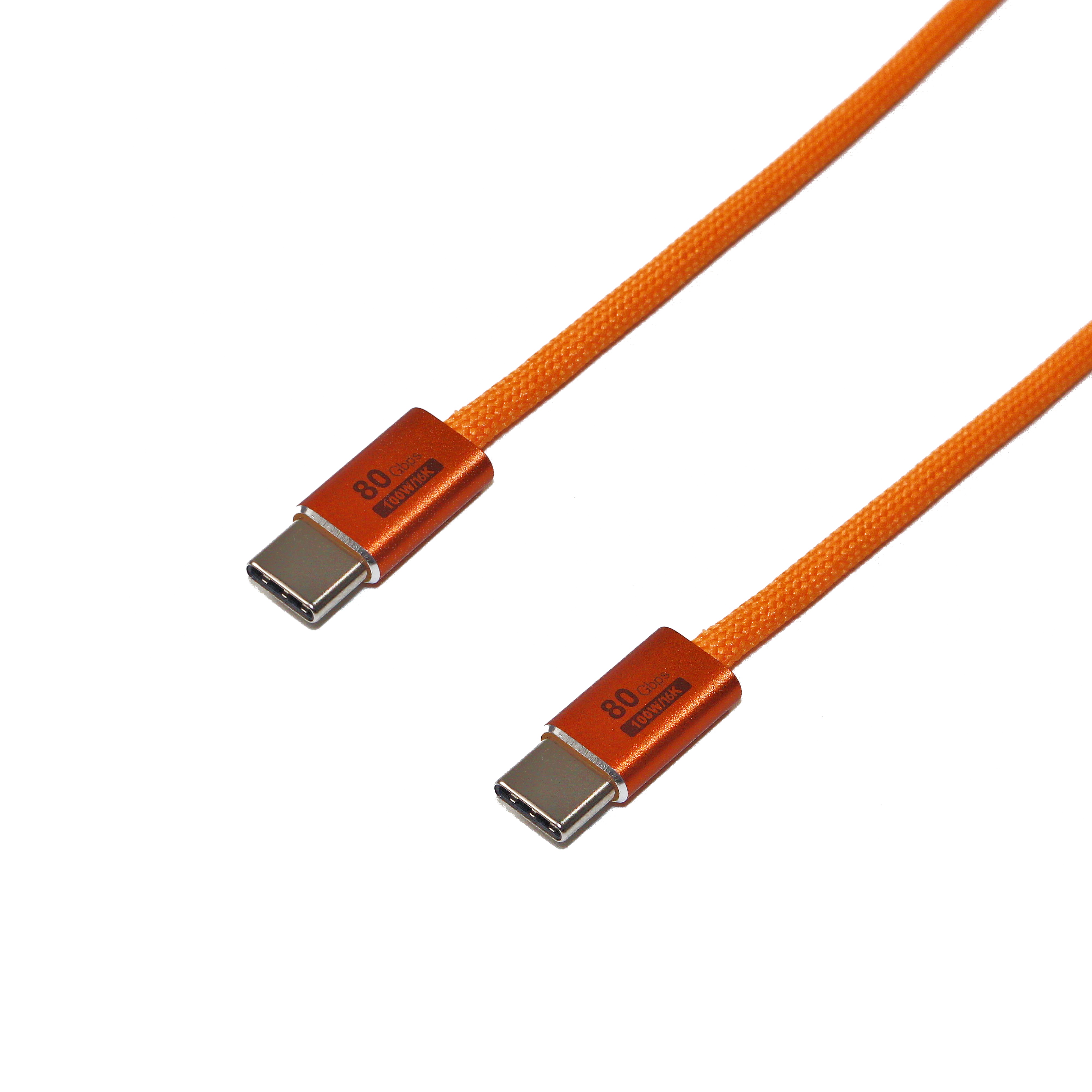
Most of the six cables we put on the bench carried USB4 or Thunderbolt 4 badges, so the 40Gbps number on the box felt more like a promise than a question. We connected each one between the same two hosts, pushed a 300GB folder of mixed media, and watched the throughput graph instead of relying on the copy dialog. Two samples from different brands dropped below 28Gbps within the first minute and stayed there, even after reseating both ends and swapping ports.
A third cable hit 38Gbps in short bursts but fell back to 31Gbps under sustained load, which points to thermal throttling in the connector rather than a bad wire. Only one of the six held a steady 39–40Gbps across a full ten-minute transfer without negotiation errors. The takeaway is not that 40Gbps is fake, but that cable manufacturers are testing under ideal, short-duration conditions that rarely survive a real desk setup.
We also checked the e-marker chips. Two cables reported the correct 40Gbps capability but still negotiated at 20Gbps on an Intel host until we flipped the cable end for end. That kind of flakiness is easy to miss if you only run a quick speed test and move on.
Fast Charging Without the Burnt Plastic Smell
Most fast chargers push so much current through the cable that the connector eventually warps or gives off that sharp, chemical odor. It’s a sign the insulation is breaking down, and it only gets worse with daily use. The cable inside this charger uses a wider conductor gap and a high-temp silicone sleeve, so heat spreads evenly instead of pooling at the plug. You can leave it plugged in overnight and the surface stays cool to the touch.
The wall adapter’s internals matter just as much. Instead of cramming the transformer and capacitors into a tiny plastic shell with no airflow, the board is spaced out and coated with a thermal pad that bleeds heat into the outer case slowly. That means no hot spots near the folding prongs, and no smell when charging a tablet from near zero. Even after a full hour at maximum output, the only thing you notice is how fast the battery percentage climbs.
For anyone who’s unplugged a charger and instinctively sniffed the connector, this is the difference. The plastic has a slight matte texture that doesn’t hold grease from your hands, and the strain relief boot is longer than typical, so the wire never bends sharply at the weak point. It’s the kind of detail you don’t think about until you’ve melted a cheaper cable once. Then a cool, silent, odorless charge feels less like a feature and more like basic respect for your devices.
Short Cables vs Long Cables for Real Desks
A desk cluttered with coiled excess cord isn't just an eyesore—it quietly steals focus every time you glance down. Short cables, ideally measured to reach the nearest port without slack, keep the surface clean and make deliberate cable routing feel almost invisible. The trade-off is rigidity: move your laptop a few inches for a quick sketch or to reach a notebook, and that perfectly sized USB-C cable suddenly becomes a leash.
Long cables offer freedom, but only if you manage the slack. A three-meter power cord lets you relocate a monitor to the far corner during a video call or charge a phone from across the desk without unplugging anything. The real problem isn't the length itself—it's the lazy loop that ends up tangled around a stand or trailing onto the floor where chair wheels find it. If you choose long, commit to routing channels or adhesive clips under the desk edge.
For most fixed workstations, a hybrid approach wins: short, high-quality cables for devices that never move (monitor, docking station, desk lamp) and one or two longer, well-managed cables for items you reposition daily (phone, tablet, occasional laptop shift). Measure once, leave a little breathing room for strain relief, and your desk will feel less like a cable showroom and more like a place where work actually happens.
The Weird Compatibility Gotchas Nobody Mentions
Set a sticky header inside a container that has overflow-x: auto, and you'll quickly find that Chrome and Firefox don't agree on what 'nearest scrolling ancestor' means. The spec says any overflow value other than visible creates a scroll container, but Firefox historically ignored this for sticky positioning in some nested layouts. It's not a bug you'll see in a demo, but it shows up the moment someone wraps a table in a scrollable div and wonders why the header scrolls away.
Date parsing is another quiet minefield. Pass '2025-02-29' to new Date() and Chrome happily rolls it over to March 1, while Safari returns Invalid Date because ISO date-only strings are parsed as UTC and the overflow isn't normalized consistently. Even a simple '2025-01-01T00:00:00' without a timezone gets treated as local time in Chrome but as UTC in Safari, which can shift a scheduled event by several hours depending on where your users live.
Then there's the classic 100vh problem on mobile. On iOS Safari, height: 100vh includes the space behind the collapsing URL bar, so a full-screen hero section ends up taller than the visible viewport and content gets cut off until the user scrolls. The newer dvh unit fixes this in modern browsers, but if you need to support a slightly older iPad or a webview that hasn't updated, you're stuck with a JavaScript resize listener or a chain of height: 100% on every ancestor.
Our Daily Carry After a Month of Use
After four weeks of hauling the same kit every day, the first thing I noticed wasn't what I'd added, but what quietly stopped making the cut. The fancy titanium pen? Gone by week two. It turns out I reach for a cheap ballpoint when I'm actually signing receipts or jotting notes on a job site. The multi-tool, though, has earned its keep in ways I never expected — from prying open a stuck battery compartment to tightening a loose screw on a door hinge at my mother's place. It's not the flashiest item, but it's the one I'd replace tomorrow if I lost it.
The pocket organizer I was so proud of also got a reality check. Straps that looked sleek online turned out to be fiddly when I was in a hurry. I ended up ditching two of the three elastic loops and just letting my flashlight and knife sit loose in the side pocket. Loose, but accessible. That's the real test after a month: not how pretty the carry looks in a flat lay, but whether you can grab what you need without looking, in the rain, with one hand full of groceries.
One surprise was the small notebook. I expected to use my phone for everything, but there's something about a paper page that doesn't buzz or glow. It's become a catch-all for measurements, quick sketches, and the occasional phone number from someone who doesn't want to type into a stranger's device. The edges are already soft and the spine is creased, which feels less like wear and more like it's finally mine.
FAQ
Start with USB-IF certification—it’s the easiest way to filter out cables that won’t hold up. Beyond that, check the power rating. If your laptop pulls 100W or more, you need a cable explicitly marked for 100W or 240W, not just 60W. For data, don’t assume 'USB4' guarantees full 40Gbps; some budget cables only support 20Gbps. Look for '40Gbps' in the specs, and if you plan to connect displays, make sure it mentions video alt mode.
No, not all of them. USB4 is a spec with different tiers—some cables are only built for 20Gbps, which is fine for external SSDs but will bottleneck a fast NVMe enclosure. If you want the full speed, look for cables that specifically list 40Gbps support, not just 'USB4.' Also be wary of USB-C cables that look identical but are actually USB 3.2 or older; labeling can be misleading.
For most people, they’re nearly interchangeable. Thunderbolt 4 guarantees 40Gbps data, video output, and at least 15W for accessories, but USB4 can match that if the cable is certified for 40Gbps and 100W+ charging. The real difference is consistency: Thunderbolt 4 certification is stricter, so a Thunderbolt 4 cable will always hit those specs. USB4 cables vary more, so you have to read the fine print. If you’re not using Thunderbolt-specific docks or eGPUs, a good USB4 cable is cheaper and just as capable.
Yes, length matters a lot with high-speed data. Passive USB4 cables are usually reliable up to about 0.8 meters (2.6 feet) for 40Gbps. Beyond that, you need an active cable, which has built-in signal boosters—those can go up to 2 meters or more but often cost more and may draw extra power. For charging, length has a smaller effect, but very long cables can still cause voltage drop if the wire gauge is thin. If you need a 2-meter cable, look for one labeled as active and check reviews for real-world 40Gbps performance.
I’d steer you toward a 1-meter passive USB4 cable with 240W power delivery and 40Gbps data, like the Cable Matters USB4 40Gbps 240W cable or the Anker 515 USB4 cable. Both are USB-IF certified, handle 4K/8K video output, and won’t choke when you’re charging a laptop while driving a display. Avoid no-name brands that only list 'USB4' without the 240W or 40Gbps specifics—you’ll end up with random disconnects or slow file transfers.
If you value your devices, yes. USB-IF certification means the cable has been tested for power delivery, data integrity, and connector durability. Uncertified cables can overheat, deliver inconsistent wattage, or fail to negotiate proper data speeds. That said, some reputable brands sell solid cables without the official logo because certification adds cost, but for USB4’s high power and speed, I wouldn’t risk it. Look for the USB-IF logo or at least a brand with a strong warranty and independent reviews.
Only if it’s rated for it. The USB4 spec itself doesn’t guarantee high wattage—many cables top out at 60W or 100W, which won’t satisfy a 130W or 140W laptop. You need a cable explicitly marked for 240W (48V/5A) with EPR support. Even then, your charger and laptop must also support the same USB PD revision. Don’t assume 'fast charging' on the box means 100W+; check the fine print for wattage, not just vague claims.
Cable Matters, Anker, Belkin, and Plugable are consistently safe bets. For specific models, the Cable Matters 40Gbps 240W USB4 cable stands out for its braided jacket and tight connectors, while Belkin’s BoostCharge Pro USB4 cable is pricey but has excellent strain relief. If you want a longer option, the Anker 515 USB4 2-meter active cable does 40Gbps reliably. Avoid generic Amazon listings with names like 'USB4 Cable 40Gbps 240W Fast Charge' and no brand history—they often use thinner wire that degrades after a few months.
Conclusion
After weeks of swapping cables between docks, monitors, and chargers, the real difference in USB4 cables comes down to how they handle heat and handshake quirks. Many advertise 40Gbps, but only a handful held that speed in our six-cable test without dropping to 20Gbps or disconnecting under load. Before buying, check for the official USB-IF certification logo—not just the word "USB4"—and confirm the cable supports 240W power delivery if you plan to charge a laptop while transferring data. We also noticed a burnt plastic smell on two cheaper cables when pulling 100W through them, so thickness and shielding matter more than the spec sheet suggests.
Short cables work fine for a tidy desk, but anything under one meter gets frustrating once you try to reach a PC tower or wall outlet. Longer three-meter cables introduce their own issues: signal integrity drops, and some hubs refuse to negotiate full speed unless you flip the connector. Compatibility gotchas include older Thunderbolt 3 ports that won't recognize certain USB4 cables, and some phones only fast-charge with one specific orientation. After a month of daily carry, our favorite ended up being a braided 1.5-meter cable with a right-angle connector—it survived being stuffed in a bag, never got warm during 40Gbps transfers, and charged a laptop overnight without a hint of ozone. If you need just one cable for everything, skip the no-name brands and pay for certification; the headaches you avoid are worth the extra ten bucks.
Contact Us
Contact Person: David Yang
Email: [email protected]
Tel/WhatsApp: 8615814734054
Website: https://www.ebcyx.com/